Zdobienie

iOptron CEM25P Service – DEC Axis Bearings Replacement

Zdobienie

iOptron CEM25P Service – DEC Axis Bearings Replacement

iOptron CEM25P

This document describes the replacement of a pair of DEC axle bearings, for the iOptron CEM25P mount. It certainly does not exhaust the topic, although I tried to include, in this description the most important information, that I was able to gather during my struggles, that I encountered during the replacement process of bearings.

Description of the problem: during rotation, bearings liked to “brake” the entire DEC axis.

After disassembling the axles and removing both bearings, turning them in hands, there was a slight resistance locally. These were poor quality products or damaged during assembly. Clearly, they had to be replaced with new, appropriate quality products. The method of disassembling the old and assembling new bearings is described below. Be aware that you can lost your warranty if you have.

ATTENTION! The following steps require some practice, if you do not confident to do it, will be better with assembly to trust someone, who is skilled enough and will not be more difficult for him to perform all the activities described below. Certainly, this description is not error-free, so be aware of it. I do not take any responsibility for any damages caused with use of this document.

Necessary tools and some chemicals

Multipurpose lithium grease I use.
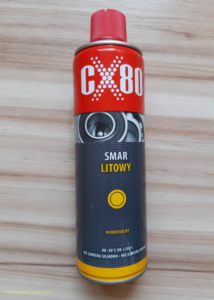
Smar litowy uniwersalny CX80

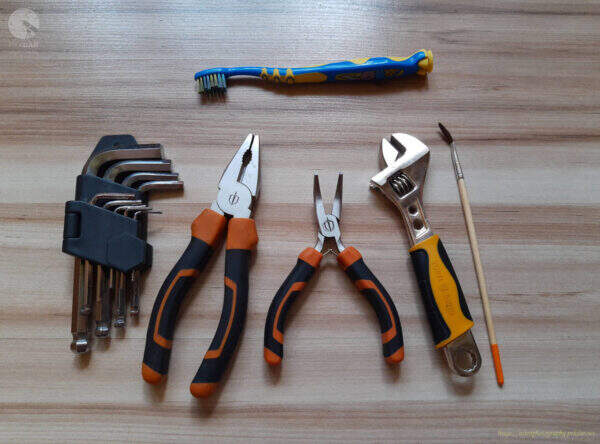
A set of auxiliary tools:

  • Allen key set,
  • a small toothbrush,
  • pliers,
  • small angled pliers,
  • small wrench,
  • a small art brush,
  • metal hammer
Service Tools
Service Tools

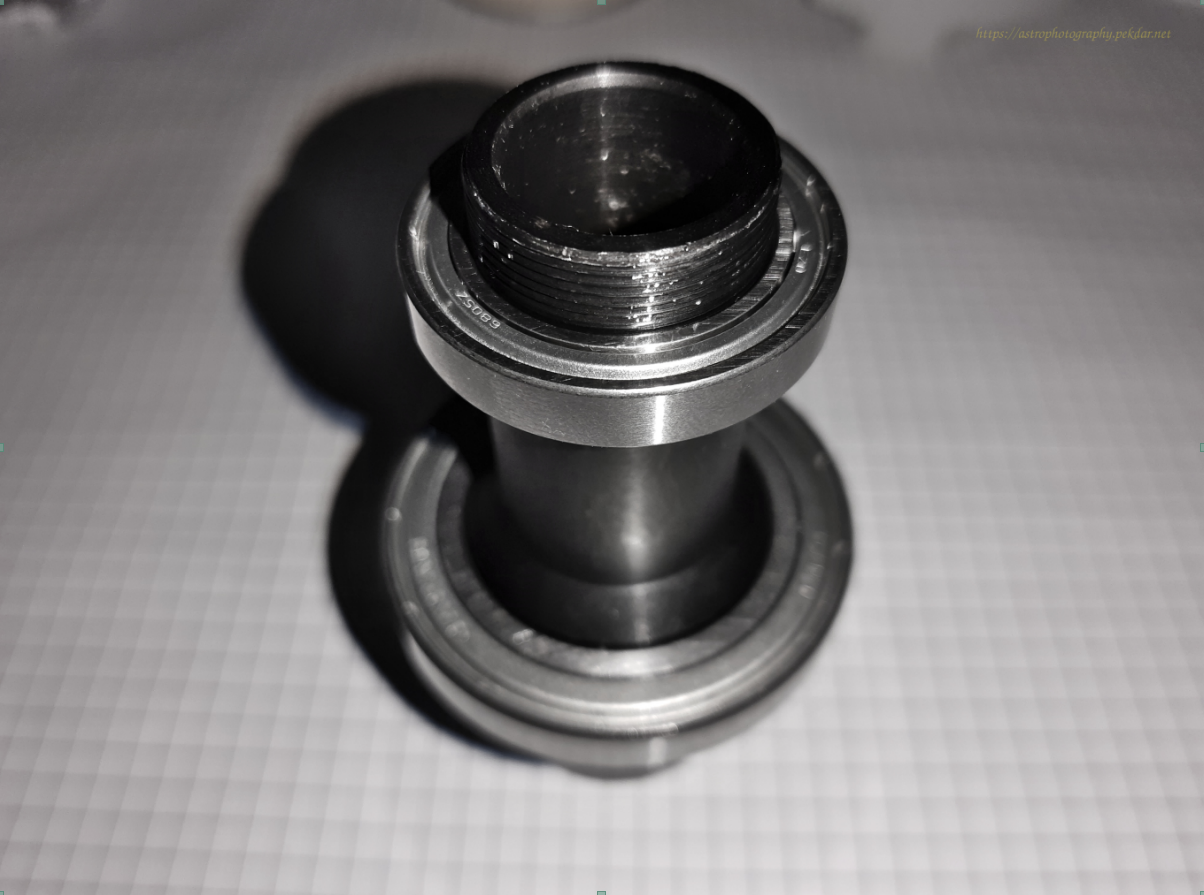
New bearings, model: 6907 ZZ EZO, 1 pcs per axis and 6805 ZZ EZO, 1 pcs per axis. The photo below shows the new bearings.
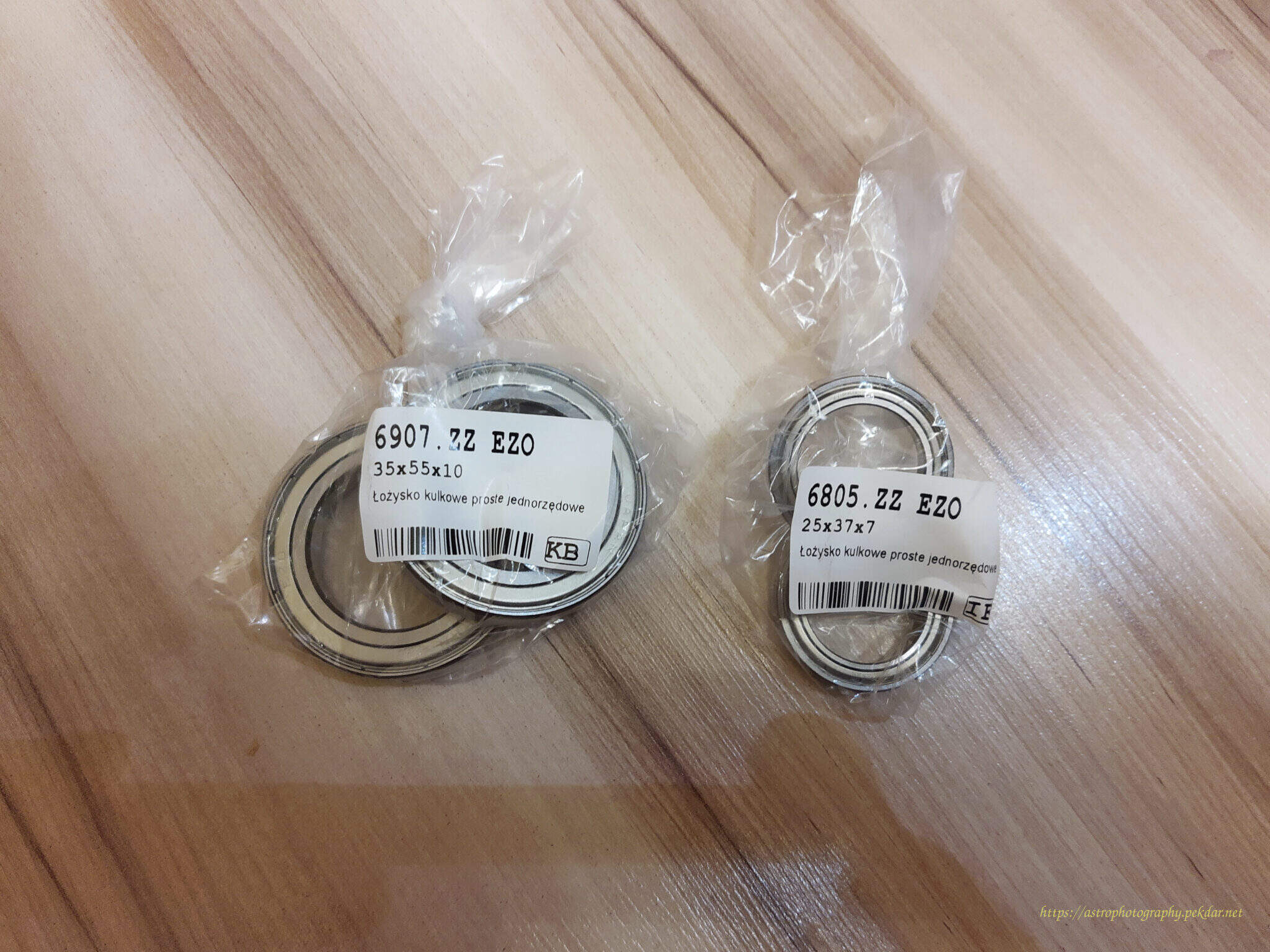
iOptron CEM25P - DEC axis - new bearings
iOptron CEM25P – DEC axis – new bearings
model: 6907 ZZ EZO, 6805 ZZ EZO


Disassembly the components of the DEC axis

Take a picture of the assembled mount, just before taking any action, so that after disassembling it into parts, you will know what state you should return to.
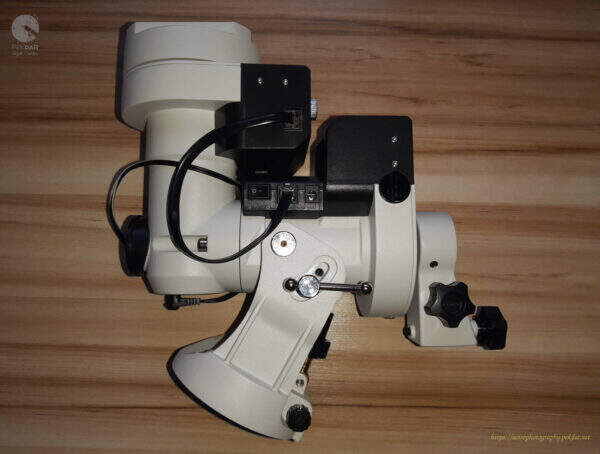
iOptron CEM25P
iOptron CEM25P

Remove both caps of the polar finder.

iOptron CEM25P - cap of the polar finder - back
iOptron CEM25P – cap of the polar finder – back
iOptron CEM25P - cap of the polar finder - front
iOptron CEM25P – cap of the polar finder – front

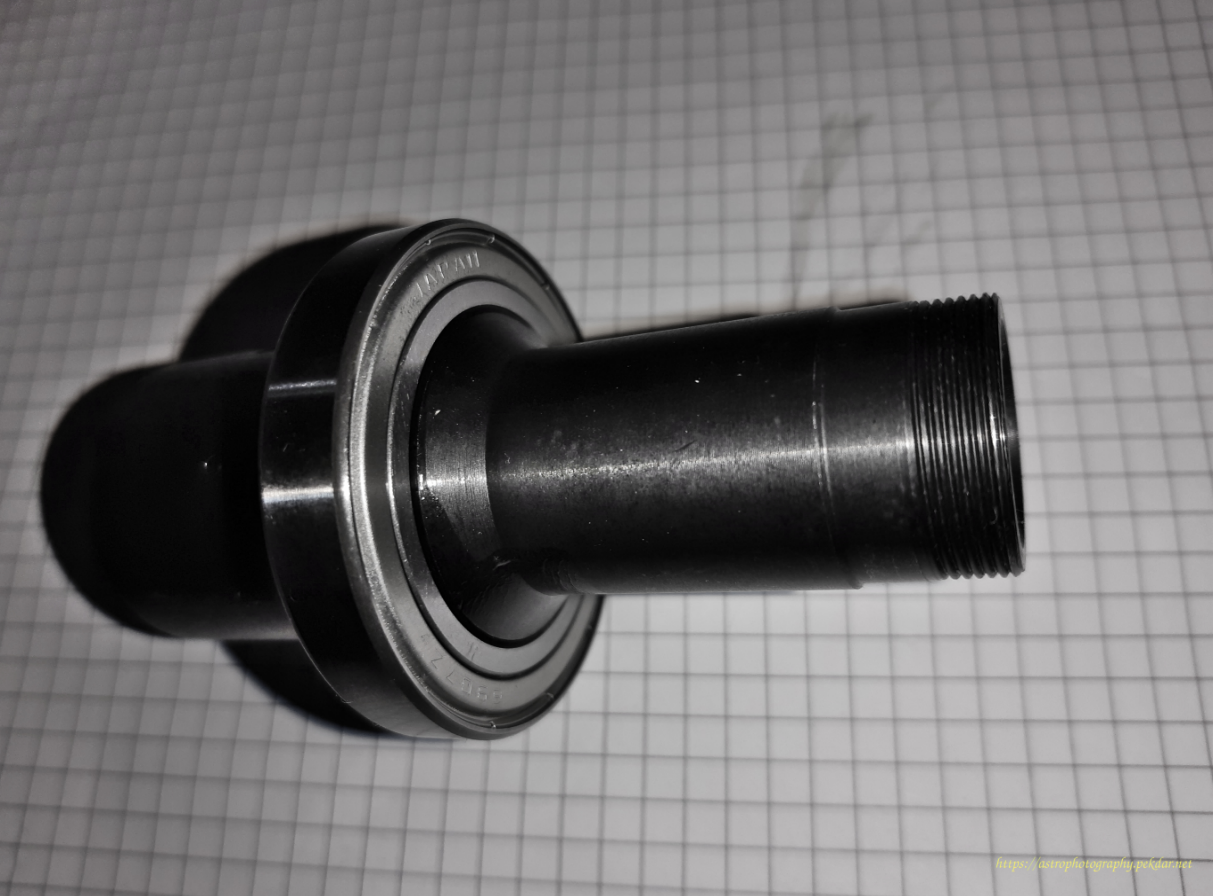
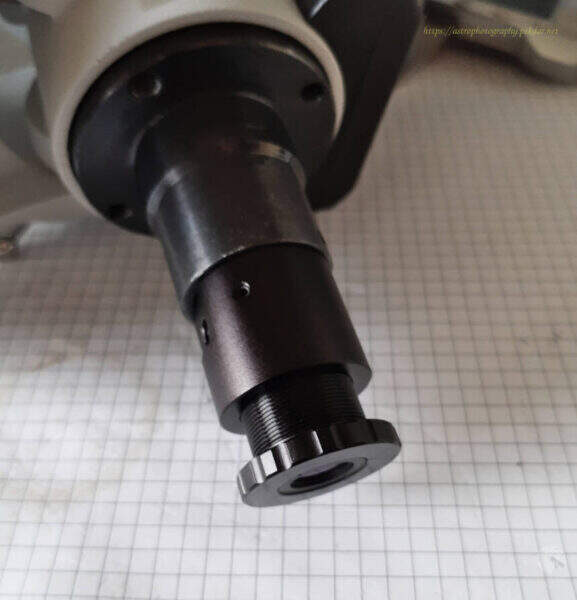
Manually unscrew the eyepiece of the polar finder.

iOptron CEM25P - eyepiece of the polar finder
iOptron CEM25P – eyepiece of the polar finder

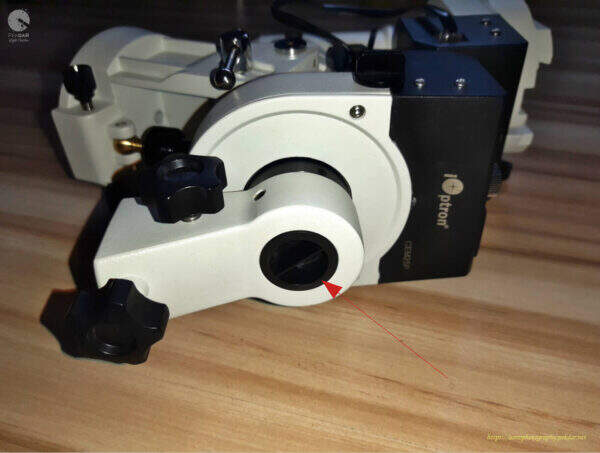
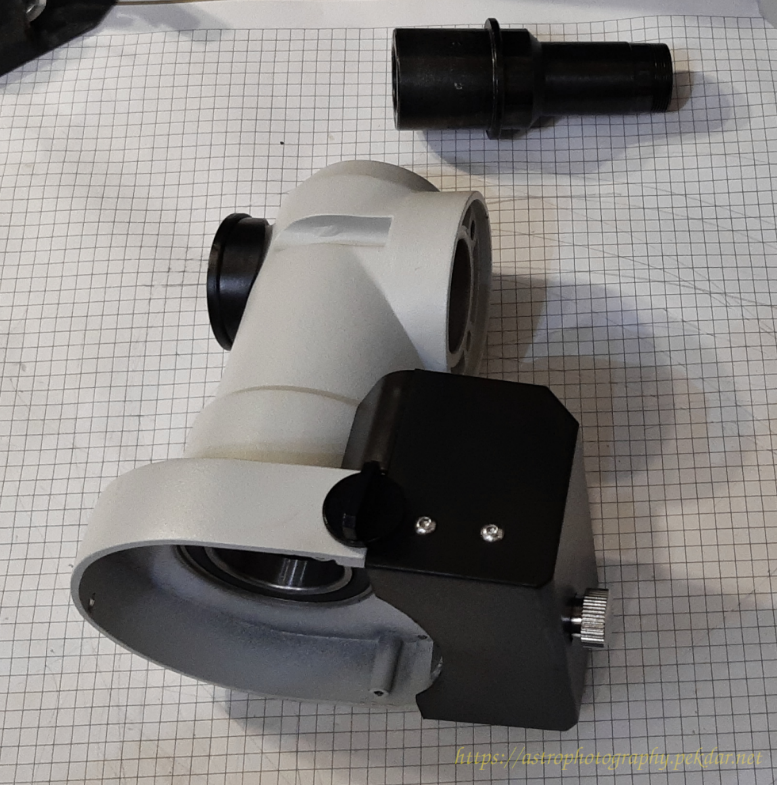
Remove the DEC body cap using the small angled pliers.
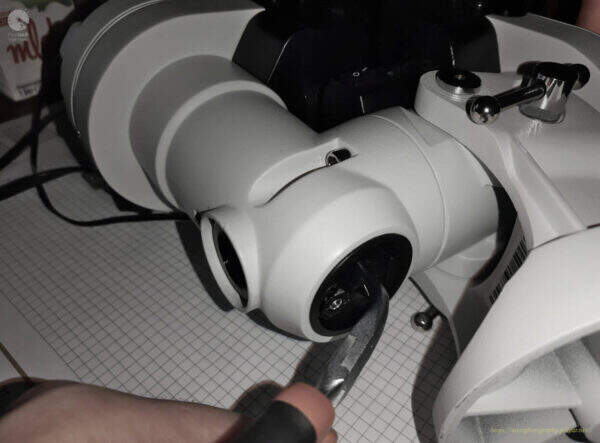
iOptron CEM25P - DEC body cap
iOptron CEM25P – DEC body cap
iOptron CEM25P - DEC body cap
iOptron CEM25P – DEC body cap

Unscrew the polar finder illuminator using the small angled pliers. Remember to not squeeze much the illuminator housing. Be gentle.
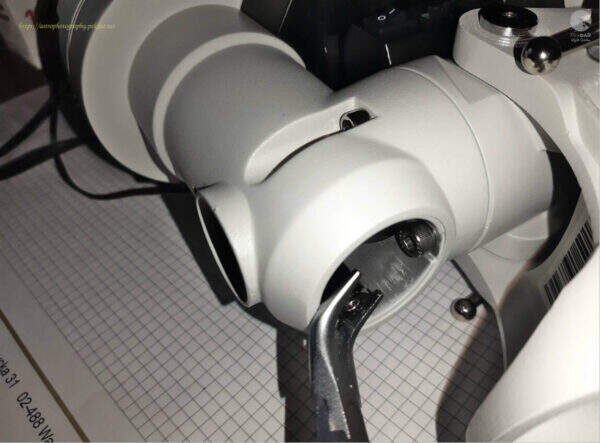
iOptron CEM25P - polar finder illuminator
iOptron CEM25P – polar finder illuminator

Remove the two outer bolts connecting the DEC body to the RA axle body, using the right size allen key.

iOptron CEM25P - outer bolts
iOptron CEM25P – outer bolts

Remove the top inner screw using the right size allen key.

iOptron CEM25P - top inner screw
iOptron CEM25P – top inner screw

Remove the inner bottom bolt, that connects the two bodies using the right size allen key.
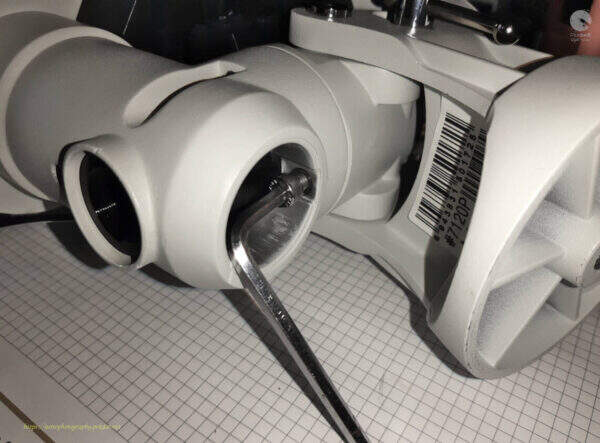
iOptron CEM25P - inner bottom bolt
iOptron CEM25P – inner bottom bolt

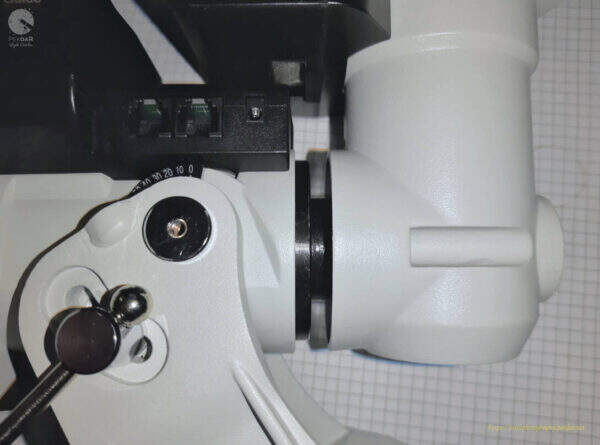
With one hand, grab the DEC body and the other hand, on the RA axle body. Moving from side to side with the DEC body, pull off slowly, until all is removed from the RA sleeve.

iOptron CEM25P - DEC body removed
iOptron CEM25P – DEC body removed

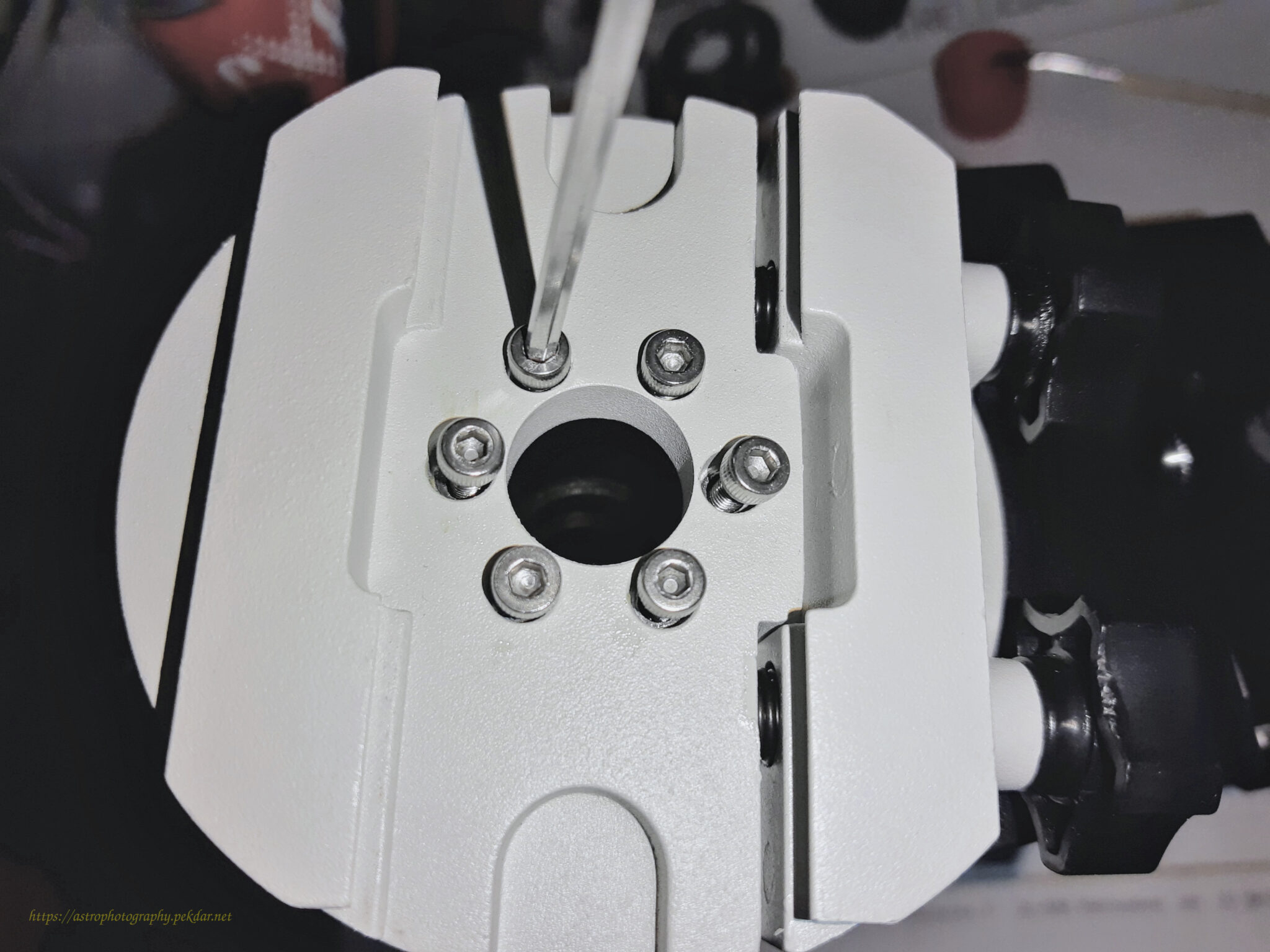
Use the Allen key to unscrew the 6 screws connecting the dovetail handle with the body of the DEC axle. Remove the handle.
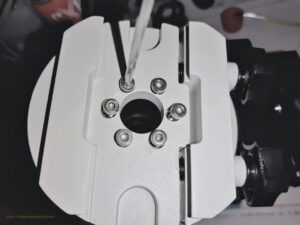
iOptron CEM25P - dovetail handle
iOptron CEM25P – dovetail handle

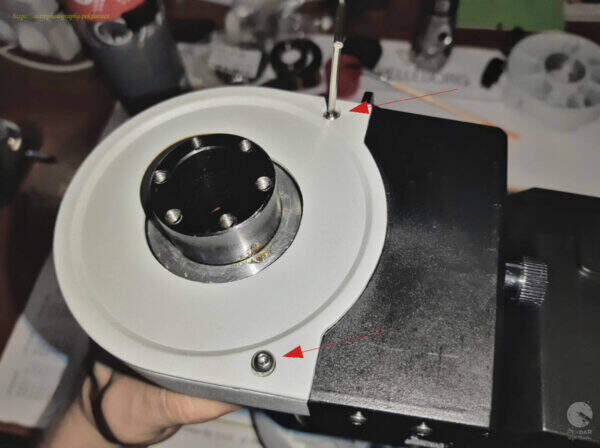
Remove the three bolts, securing the DEC axle gearwheel cover, using the right size of allen key.
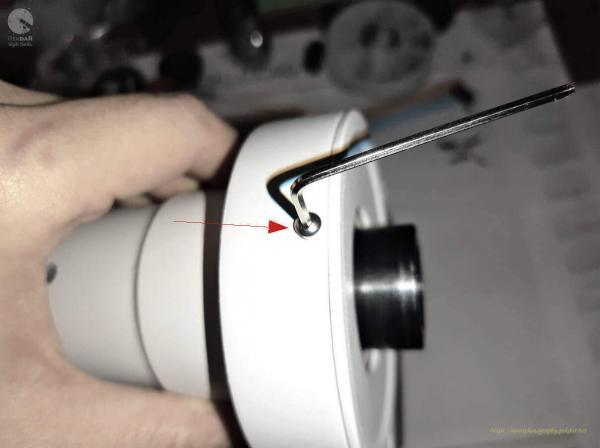
iOptron - DEC axis - three bolts of the DEC cover
iOptron – DEC axis – three bolts of the DEC cover
iOptron - DEC axis - three bolts of the DEC cover
iOptron – DEC axis – three bolts of the DEC cover

Kluczem imbusowym, odkręć trzy śruby blokujące koło zębate na tulei osi DEC.
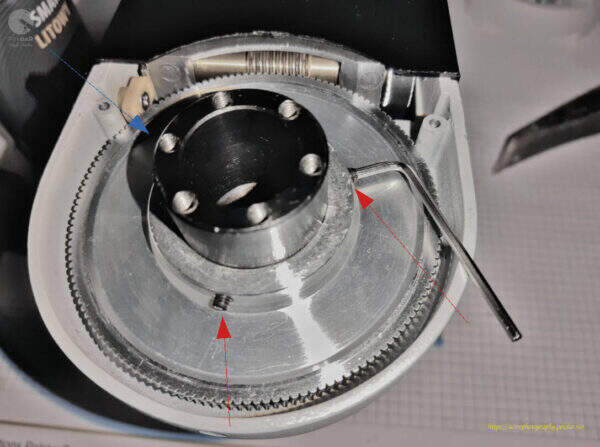
iOptron - DEC axis - three screws securing the DEC axle gearwheel
iOptron – DEC axis – three screws securing the DEC axle gearwheel

Remove the gear wheel.

iOptron - DEC axis - gear wheel
iOptron – DEC axis – gear wheel

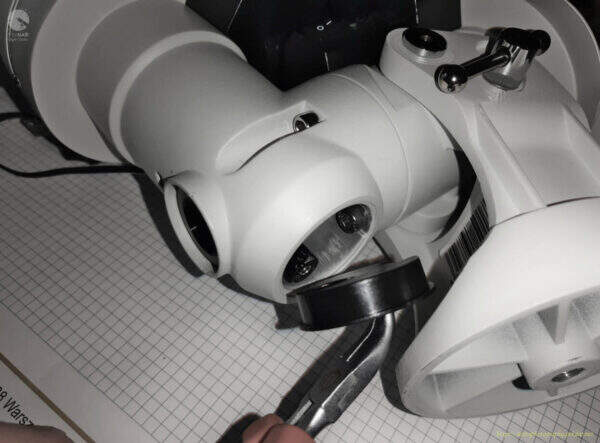
Turn the DEC axle body over and using straight-nose pliers, unscrew the DEC bearing locking nut.
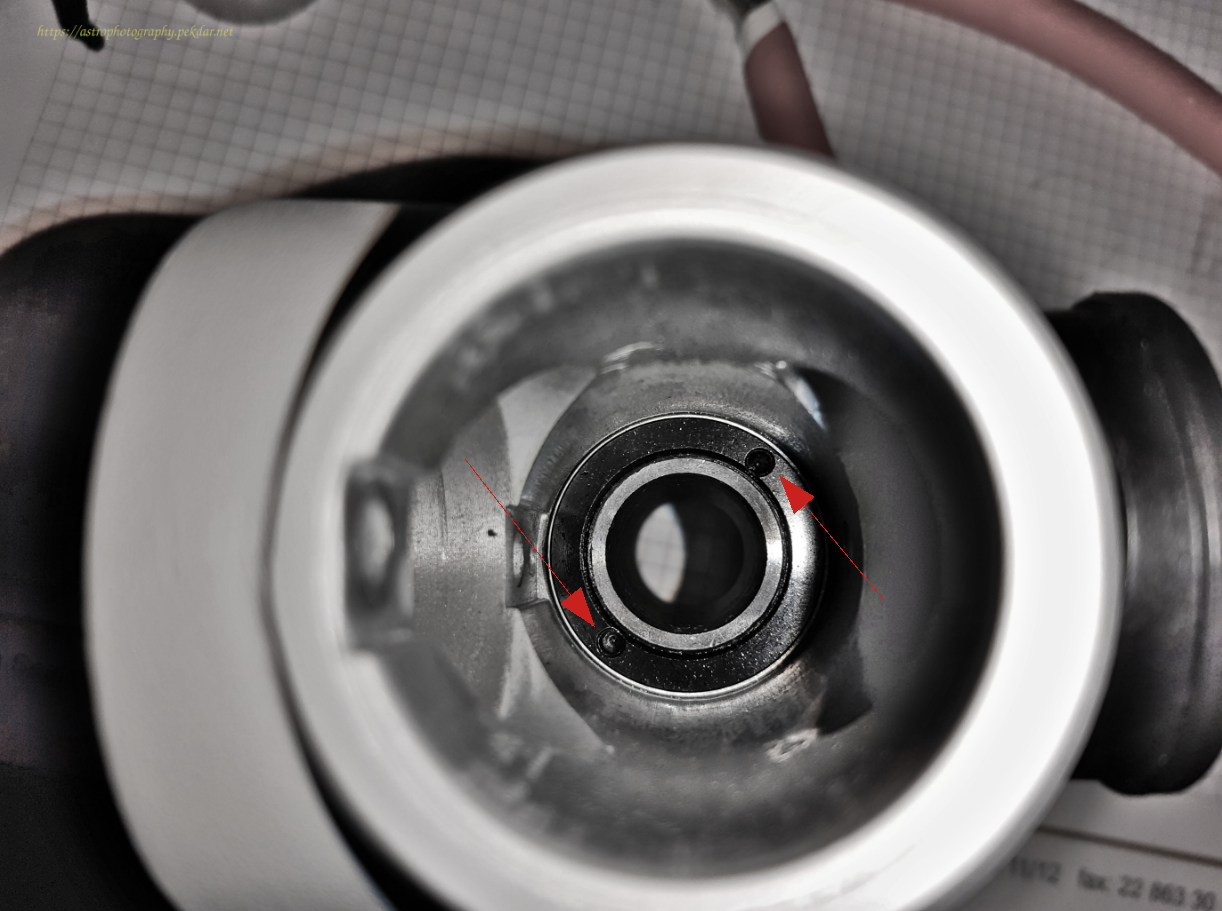
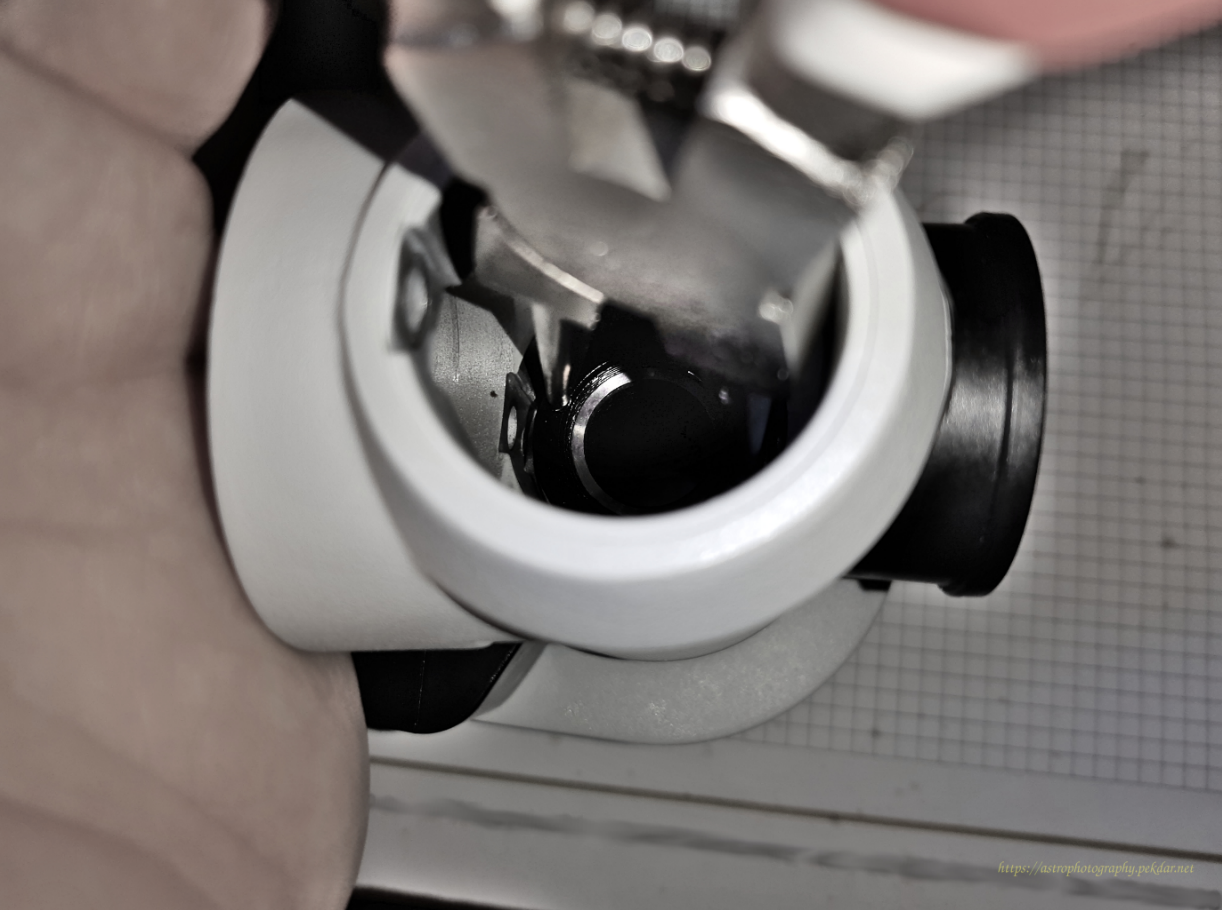
iOptron CEM25P - DEC bearing locking nut

iOptron CEM25P - DEC bearing locking nut.

The photo below shows the nut removed,
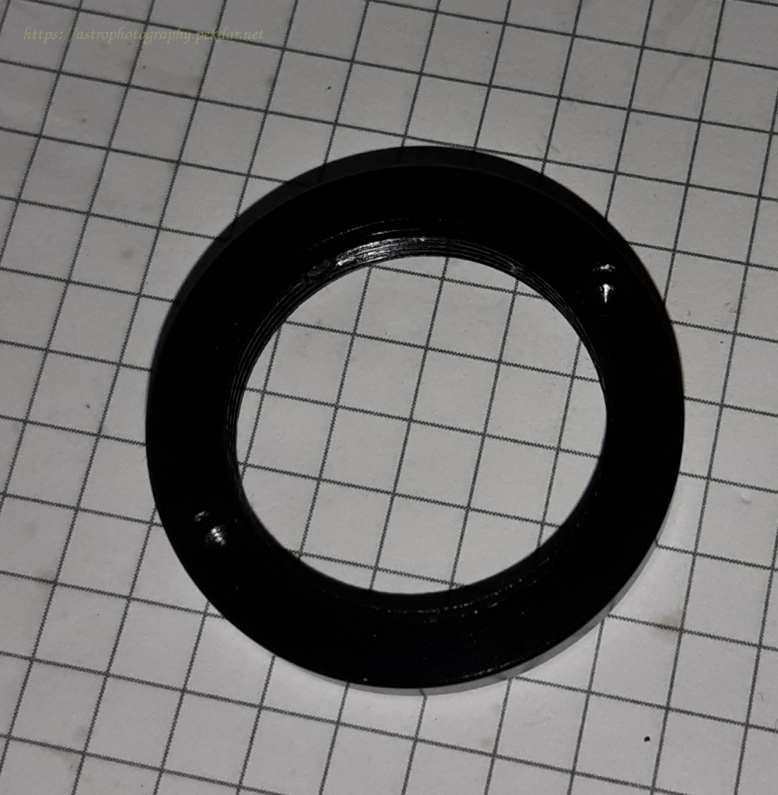
iOptron CEM25P - nut removed

Slide the sleeve off the body.

iOptron CEM25P - DEC sleeve

Remove both DEC axle bearings from their seats. It may happen that one of the bearings is factory fitted tight. Then use a hammer and a screwdriver with a wooden handle to very carefully bounce off bearing from the socket.
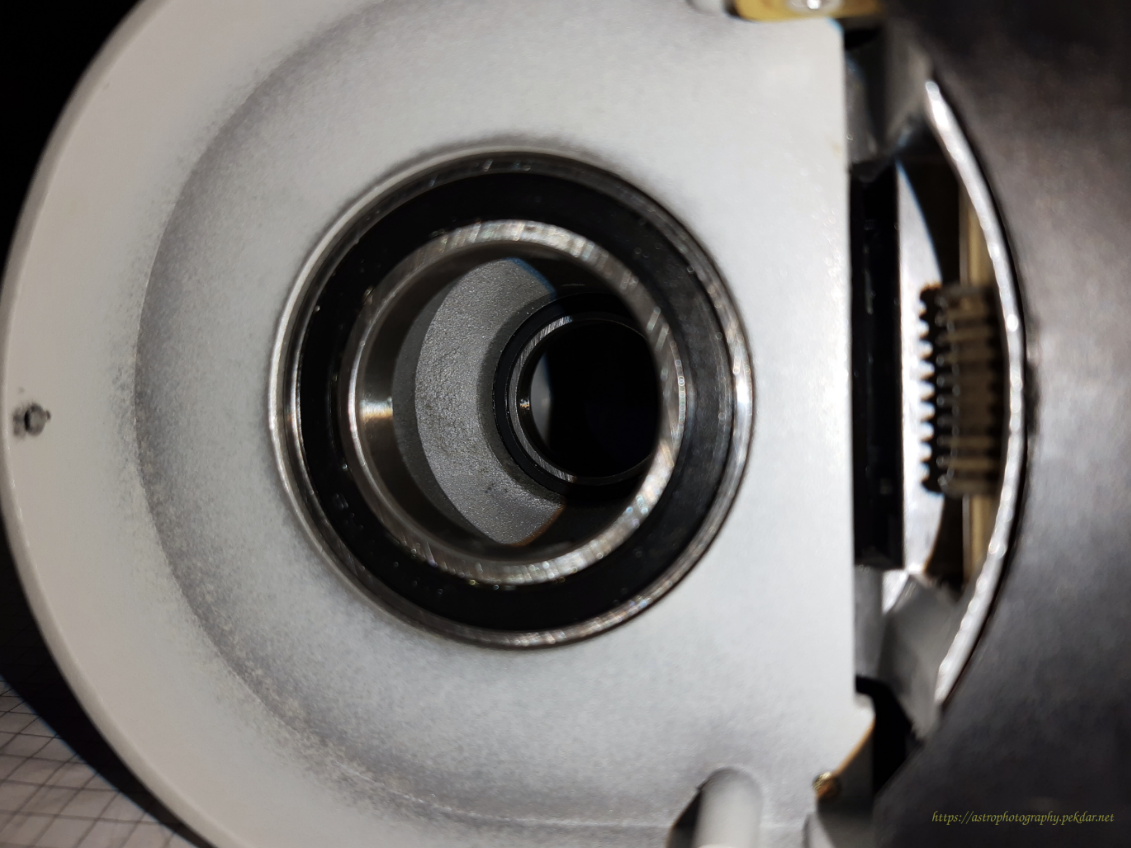
iOptron CEM25P - DEC axle bearing

The photo shows both bearings that needs to be replaced.
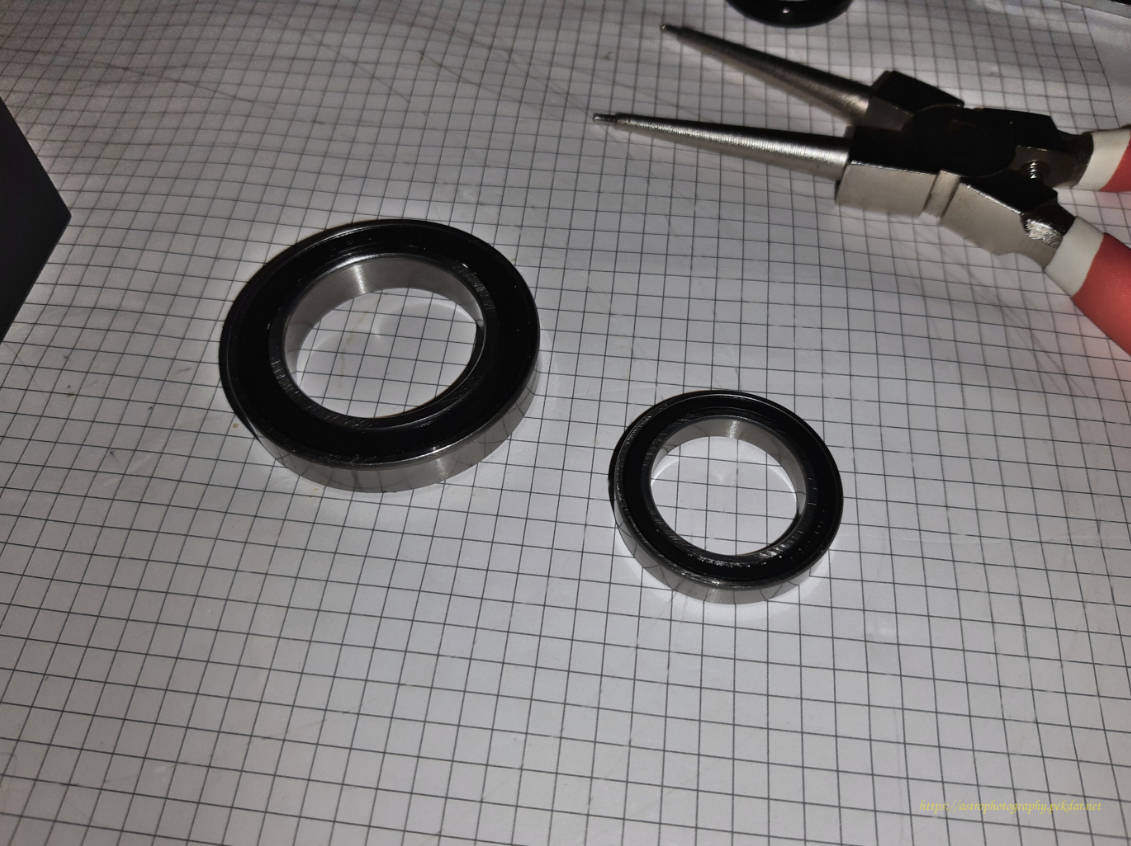
iOptron CEM25P - both DEC bearings removed

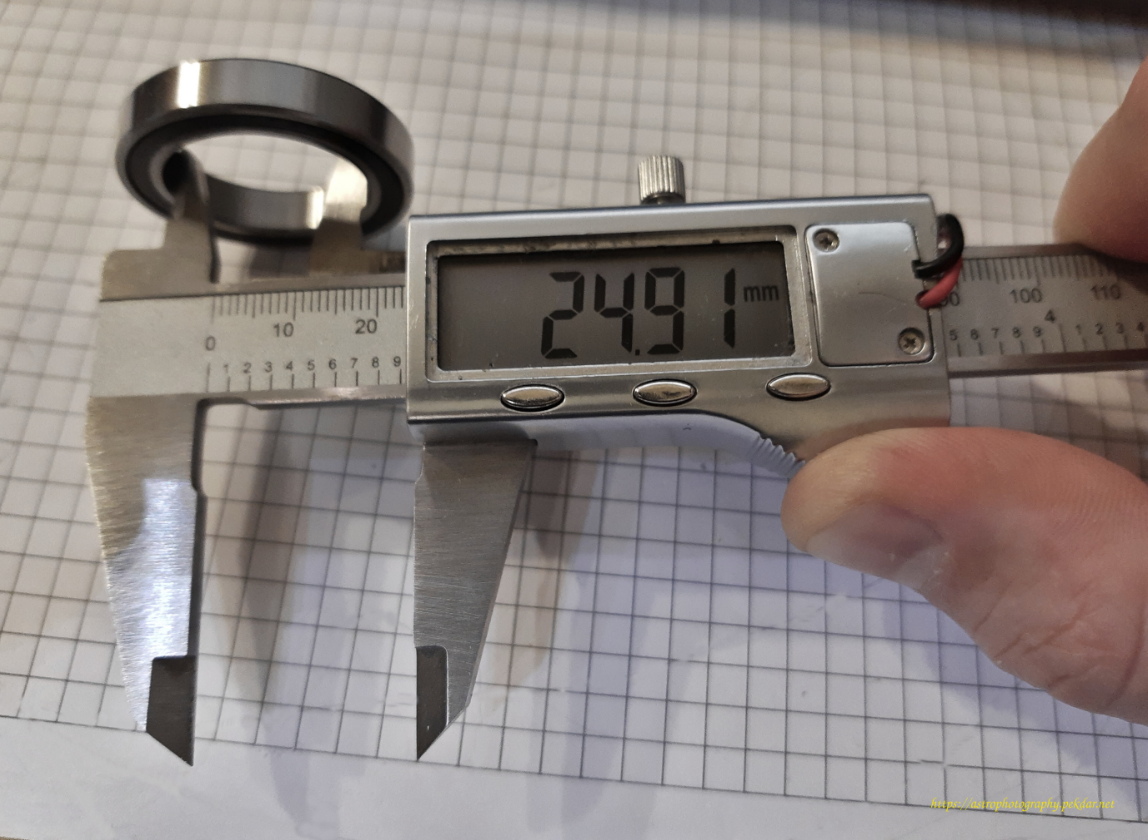
Dimensions in [mm] of the smaller bearing.
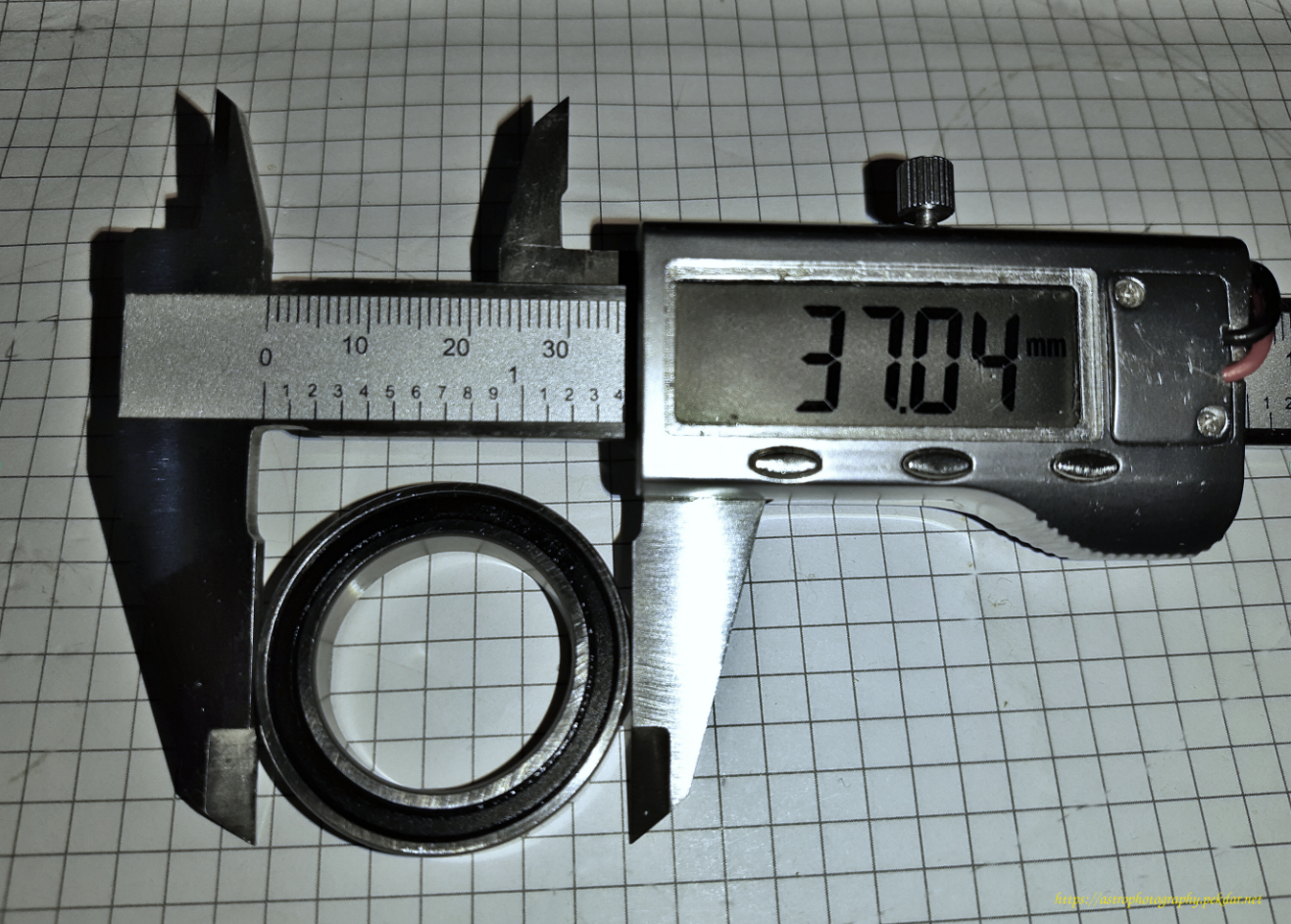
iOptron CEM25P - smaller DEC bearing

iOptron CEM25P - smaller DEC bearing (inner dimension)

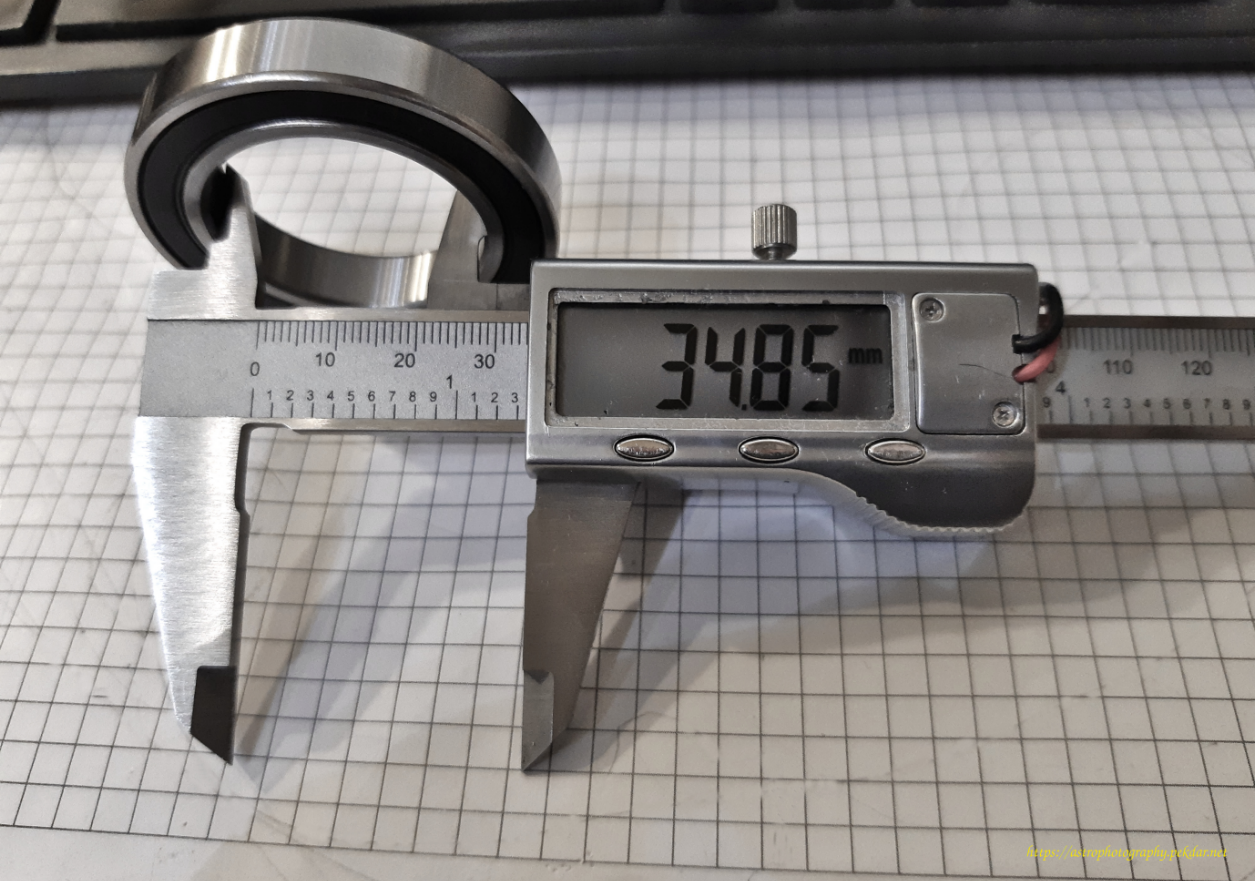
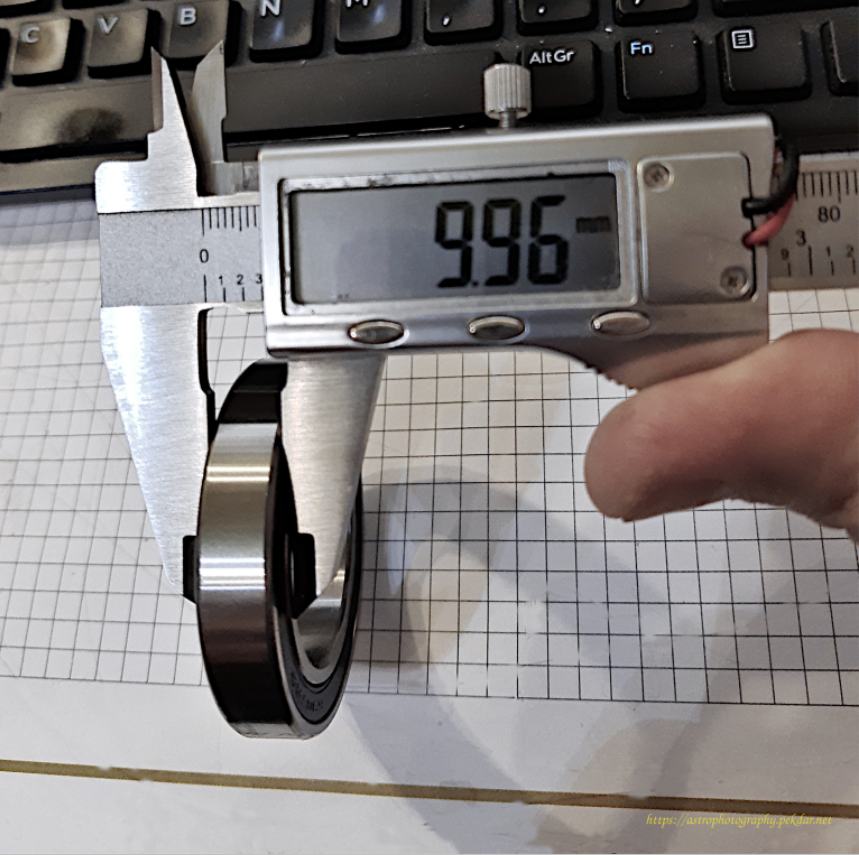
Dimensions in [mm] of the larger bearing.
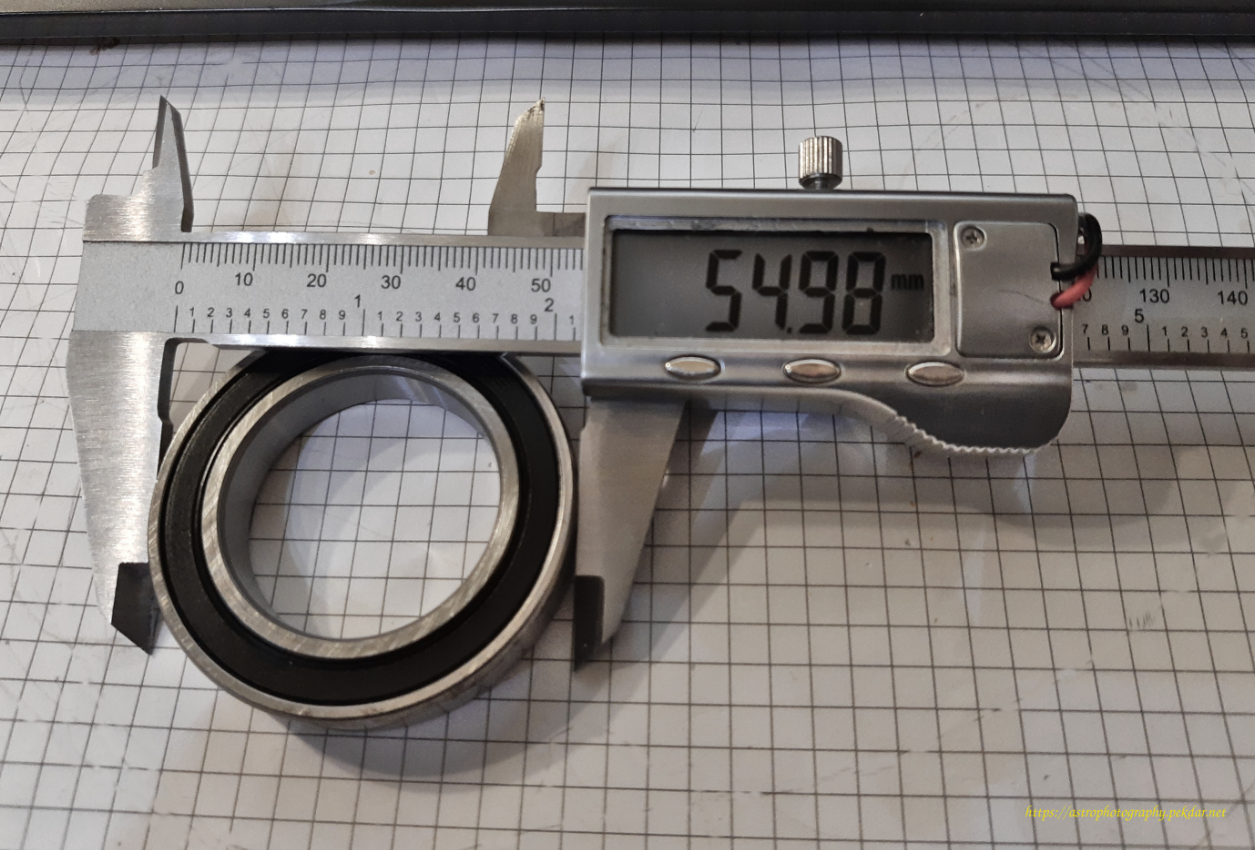
iOptron CEM25P - bigger DEC bearing (outer dimension)

iOptron CEM25P - bigger DEC bearing (inner dimension)

iOptron CEM25P - bigger DEC bearing (size dimension)

Assembly of new bearings and DEC axle components

Install new bearings on the sleeve and check that all components fit together.
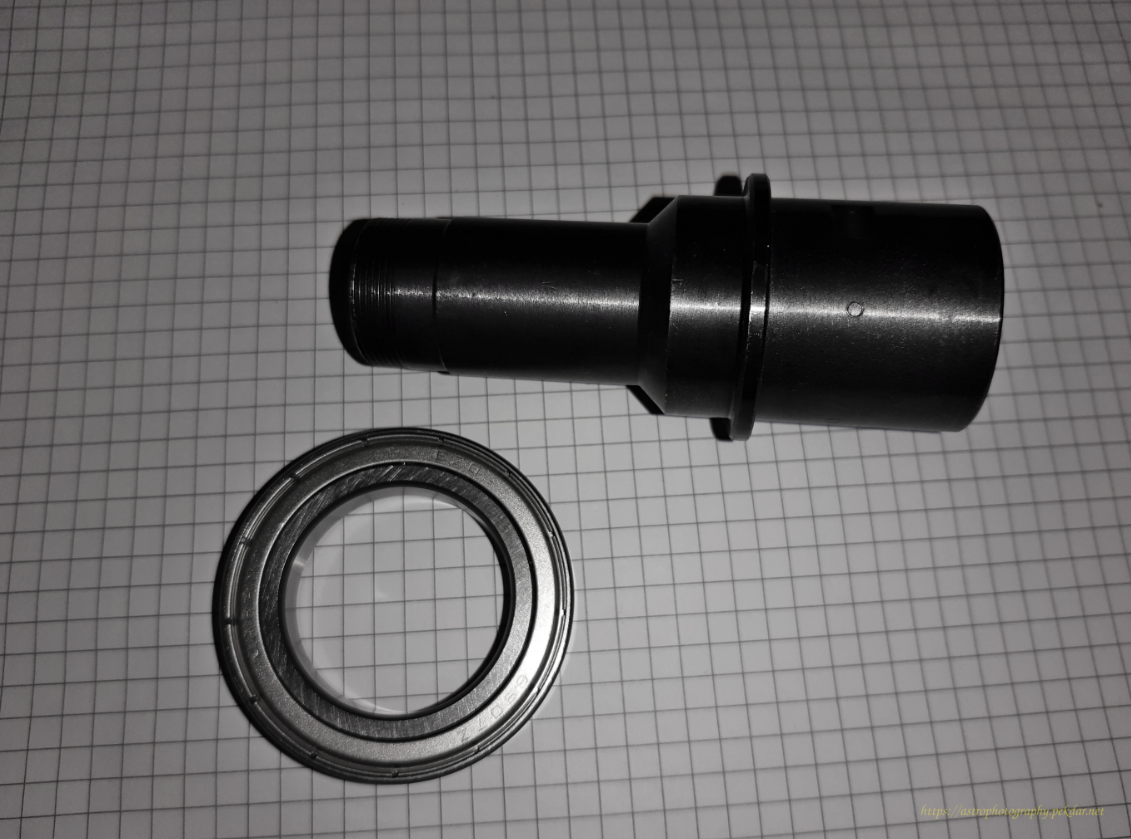
iOptron CEM25P - DEC sleeve and bearing

iOptron CEM25P - DEC sleeve with bearing

iOptron CEM25P - DEC sleeve with both bearing

Apply a small amount of grease to the bearing seat. Use a brush to spread it over the entire surface. This will make it easier to seat the bearing.
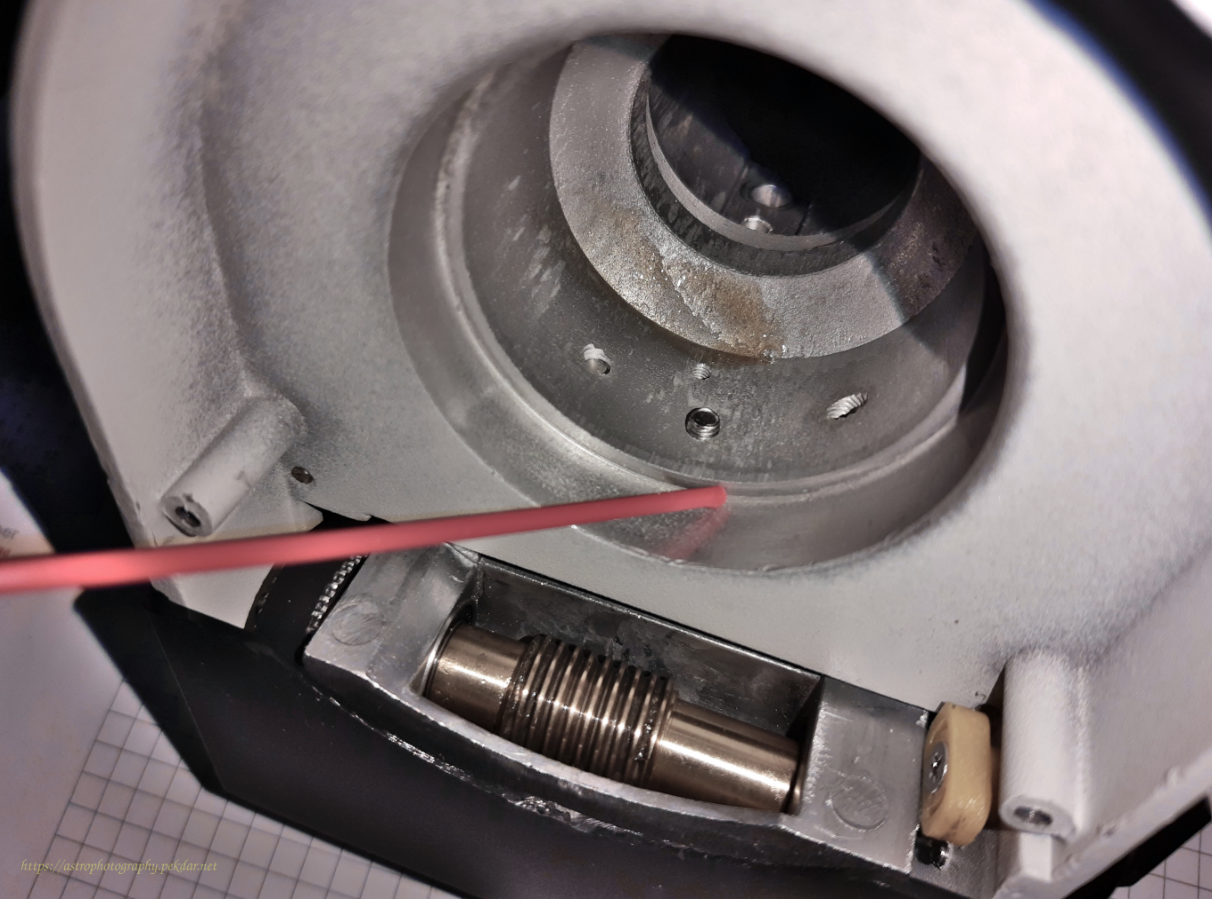
iOptron CEM25P - grease to the bearing seat

Slide the larger bearing into the seat. In my case, the dimensions of the bearing and the seat fit tightly. A bit of force was required to fit the bearing exactly into the seat. I put the handle of the tongs against the edge of the bearing and with a hammer tapped the handle with steady force, moving it around the edge of the bearing. This method is not perfect, but it has worked well.
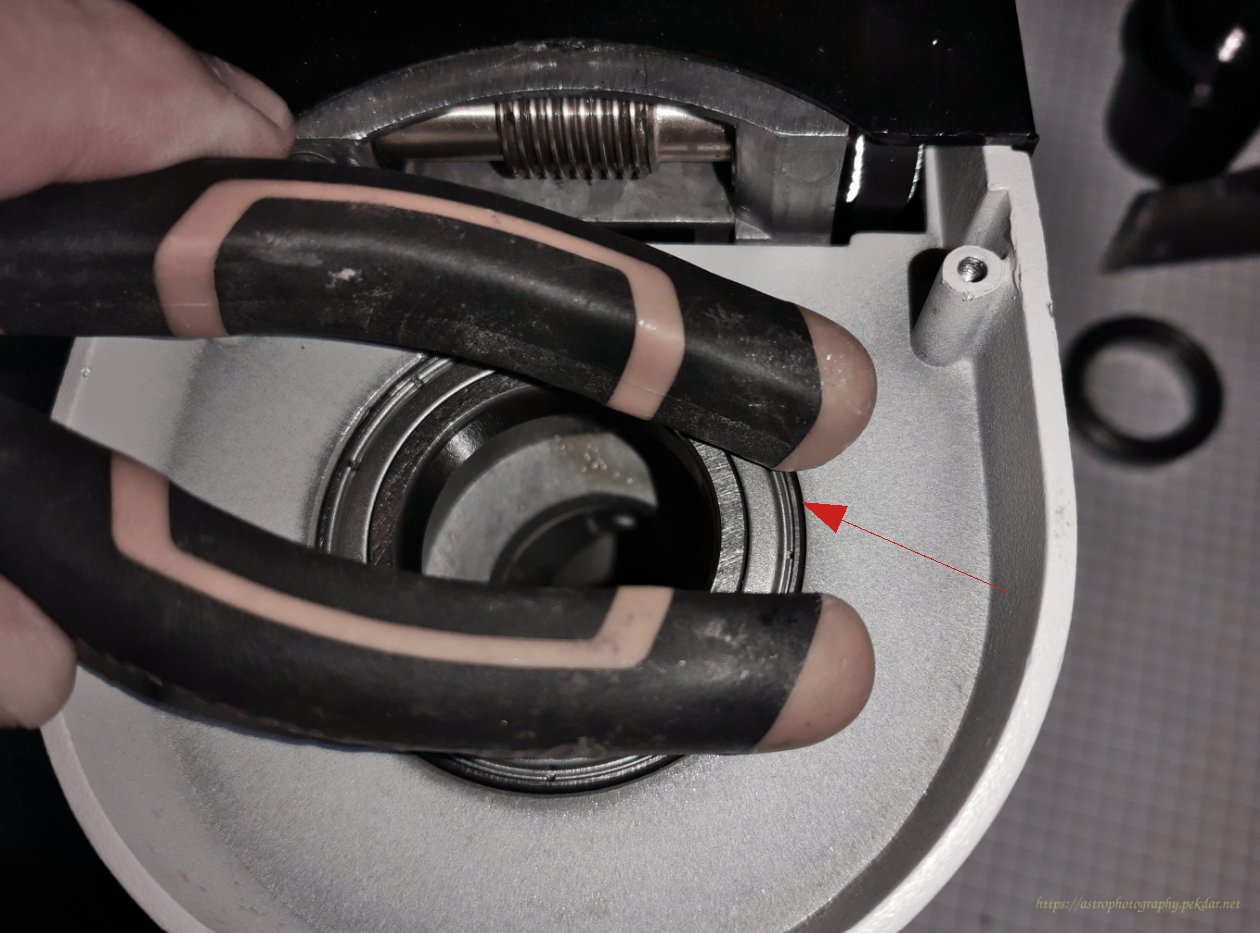
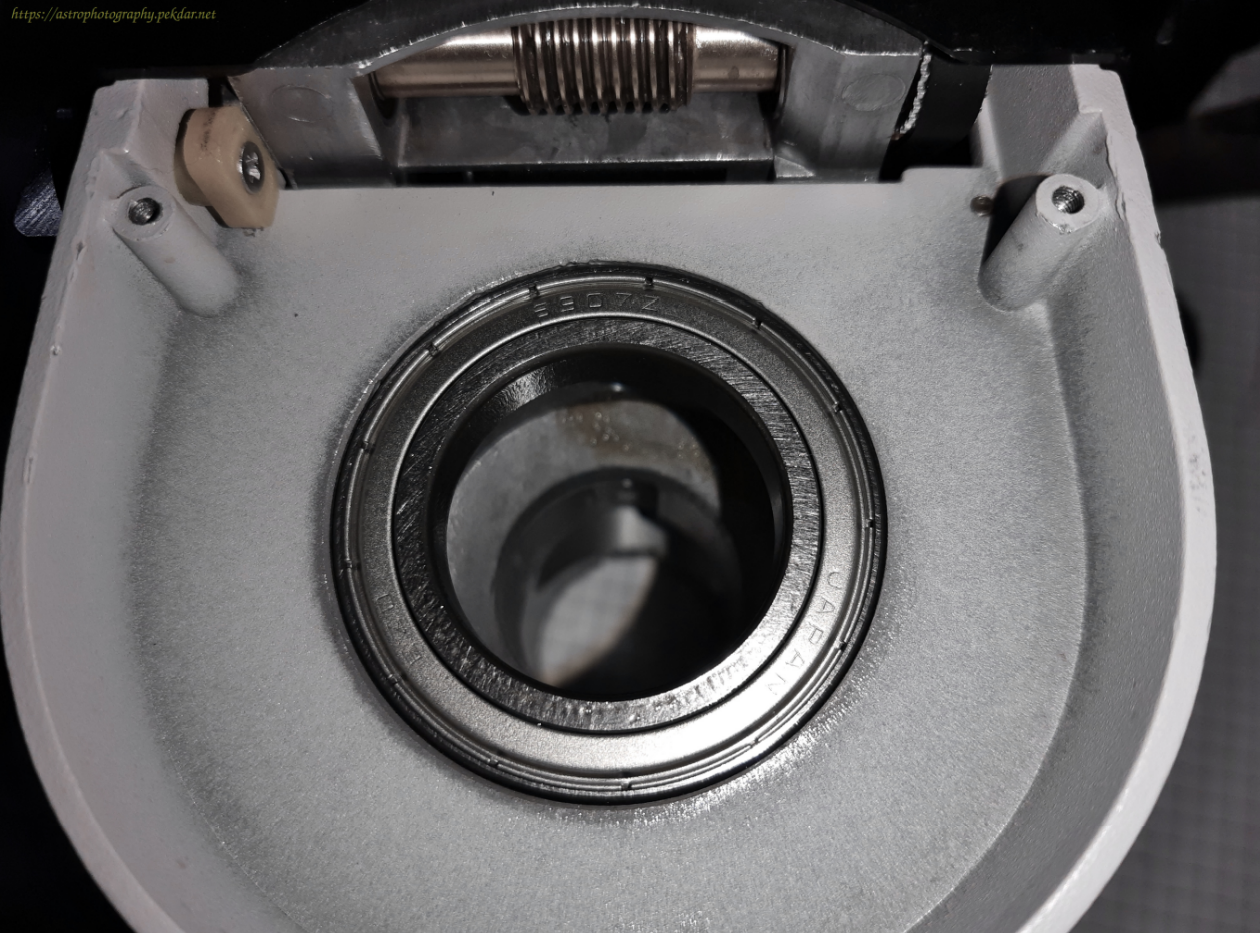
iOptron CEM25P - handle of the tongs against the edge

iOptron CEM25P - DEC bearing in the seat

Flip the DEC body over and slide the smaller bearing into the seat. Make sure it is well seated in place, checking visually, whether there are clear gaps between the bearing ring and the seat.
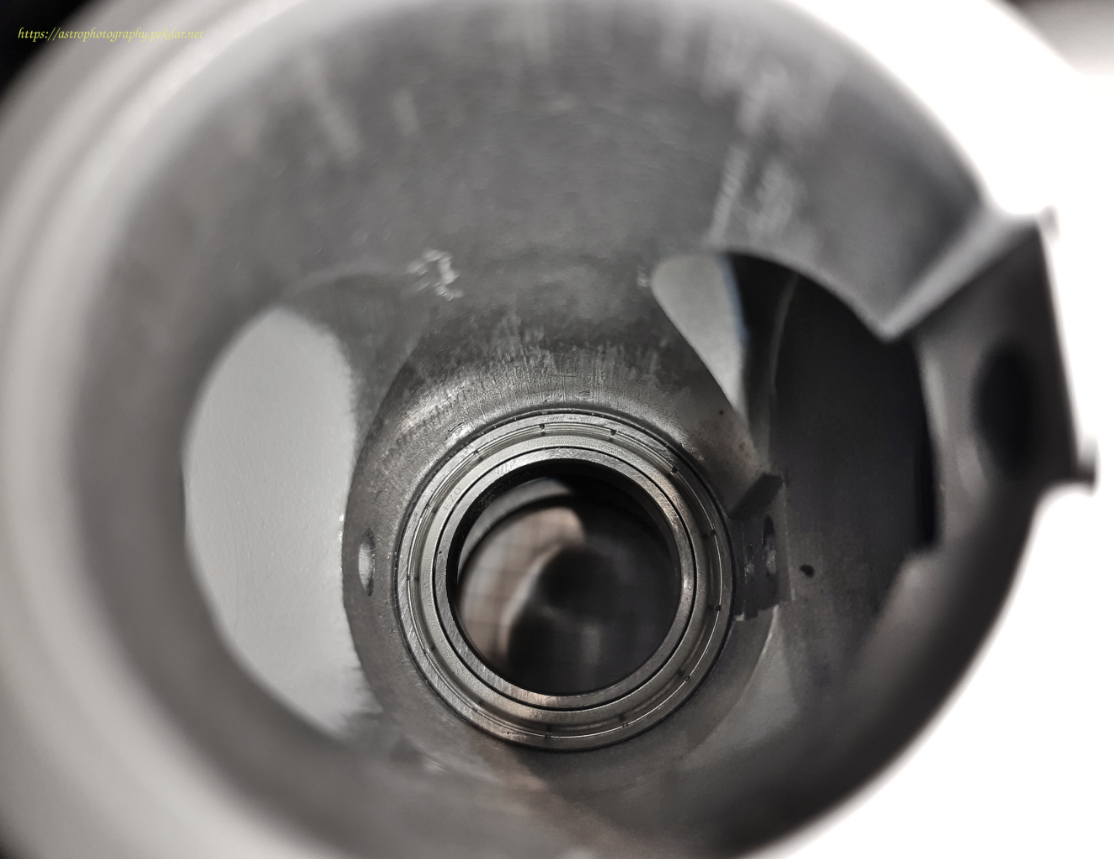
iOptron CEM25P - smaller bearing into the seat

From the worm gear side, slide the DEC shaft sleeve into the bearing.
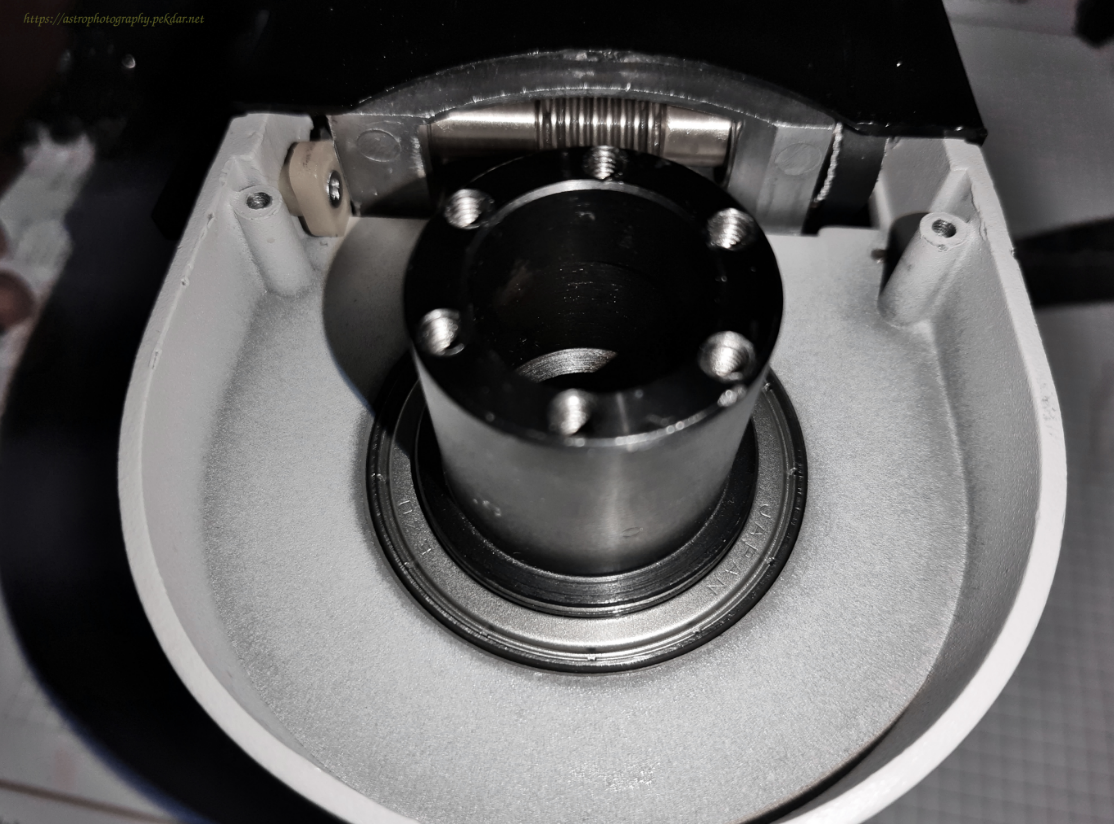
iOptron CEM25P - DEC shaft sleeve into the bearing

Screw the nut with the sleeve. It presses down and eliminates excessive play between the sleeve, bearings and the body.

iOptron CEM25P - nut removed

Using long straight pliers, tighten the nut with measured force. Be very careful not to over tighten it, which will occurred with unwanted resistance. Can’t be screwed on too lightly, there may be occurred unwanted play.
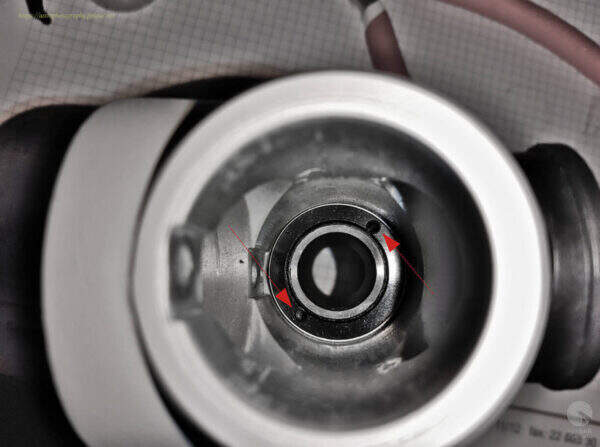
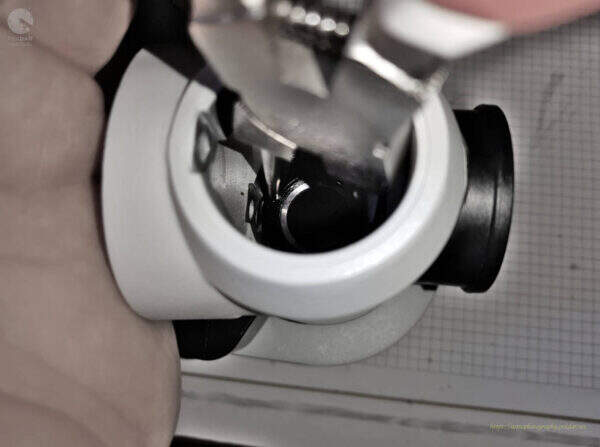
iOptron - DEC axis - bearing locking nut
iOptron – DEC axis – bearing locking nut
iOptron - DEC axis - bearing locking nut
iOptron – DEC axis – bearing locking nut

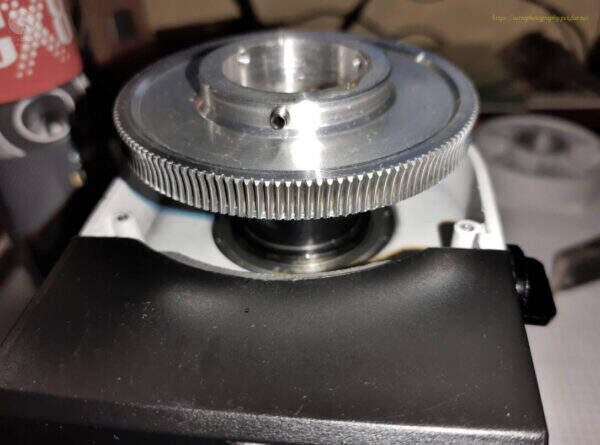
Install the DEC axis worm wheel gear.

iOptron - DEC axis - gear wheel
iOptron – DEC axis – gear wheel

Screw in the three Allen locks and lock the gear. There may be unexpected resistance when rotating the body about the sleeve axis. IMPORTANT: Tighten the Allen screws until there is no resistance.

iOptron - DEC axis - three screws securing the DEC axle gearwheel
iOptron – DEC axis – three screws securing the DEC axle gearwheel

Screw in the polar finder lens.

iOptron CEM25P - polar finder lens
iOptron CEM25P – polar finder lens

Apply a thin layer of grease to the sleeve of DEC axis.
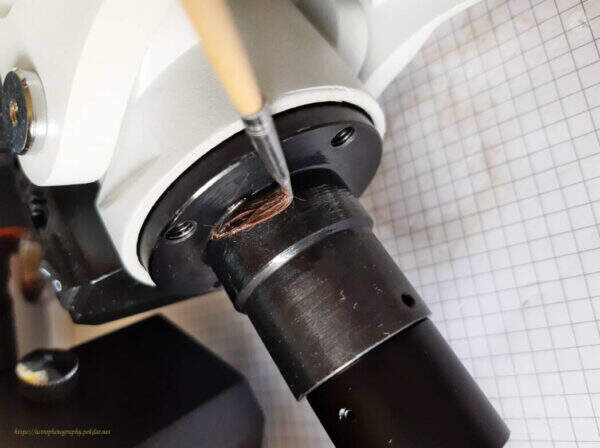
iOptron CEM25P - thin layer of grease
iOptron CEM25P – thin layer of grease

Assembly the other half of the body.

iOptron - DEC axis - Assembly the other half of the body
iOptron – DEC axis – Assembly the other half of the body

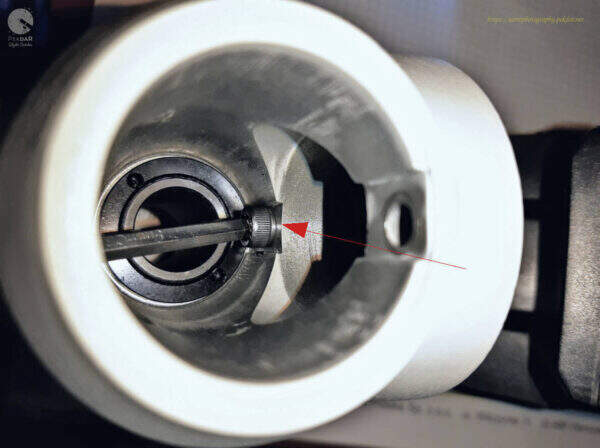
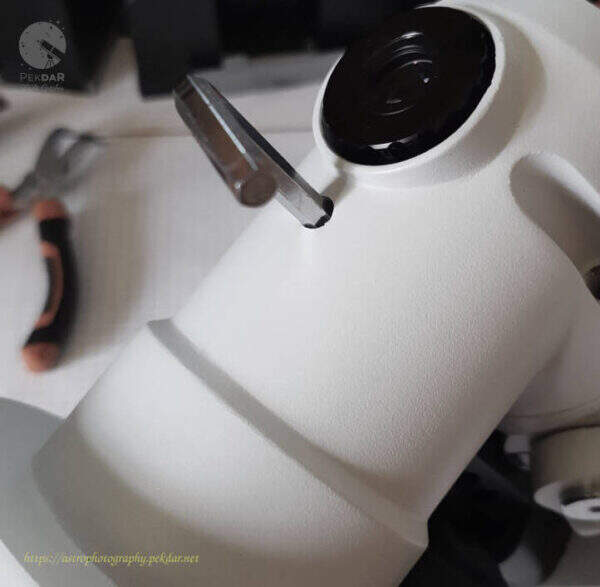
Make sure that the screw inside body, hits the appropriate hole. Grip the bolt with a wrench and lightly screw it into the body.
iOptron - DEC axis - Grip the bolt with a wrench
iOptron – DEC axis – Grip the bolt with a wrench
iOptron CEM25P - screwing other half of the mount
iOptron CEM25P – screwing other half of the mount

Use the appropriate size Allen key to screw the other inner screw onto the body.

iOptron CEM25P - inner bottom bolt
iOptron CEM25P – inner bottom bolt

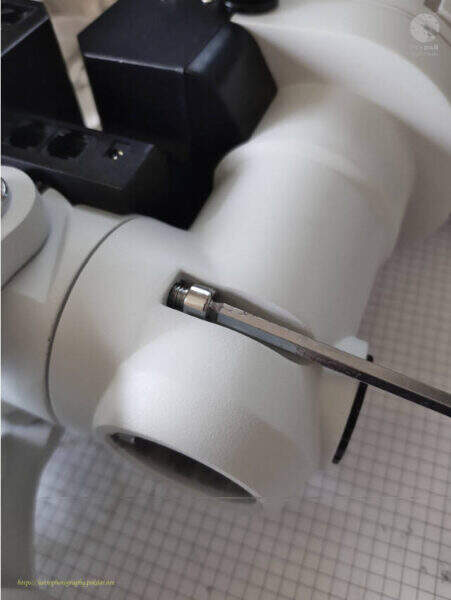
Screw the body with the two longer screws using the appropriate size Allen key.
iOptron CEM25P - two, longer screws
iOptron CEM25P – two, longer screws

Put on the cover of the RA axis worm wheel and screw it on with three Allen screws.

iOptron - DEC axis - three bolts of the DEC cover
iOptron – DEC axis – three bolts of the DEC cover
iOptron - DEC axis - three bolts of the DEC cover
iOptron – DEC axis – three bolts of the DEC cover

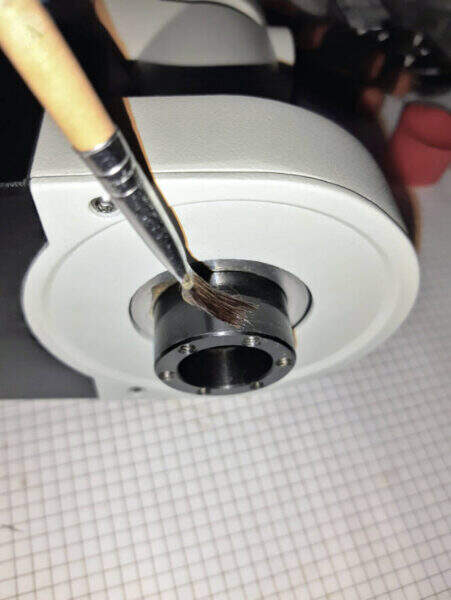
Apply a thin layer of grease to the DEC sleeve.
iOptron - DEC axis - grease to the DEC sleeve
iOptron – DEC axis – grease to the DEC sleeve

Use the Allen key to tighten the 6 screws connecting the dovetail handle with the DEC axle body.

iOptron CEM25P - dovetail handle
iOptron CEM25P – dovetail handle

Attach the polar finder illuminator by hand or using small pliers.
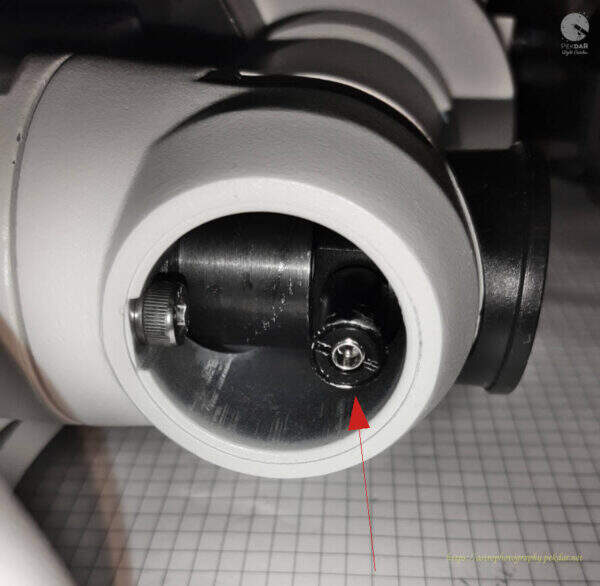
iOptron CEM25P - polar finder illuminator
iOptron CEM25P – polar finder illuminator

Attach the bottom DEC cover by hand or with a pair of pliers.
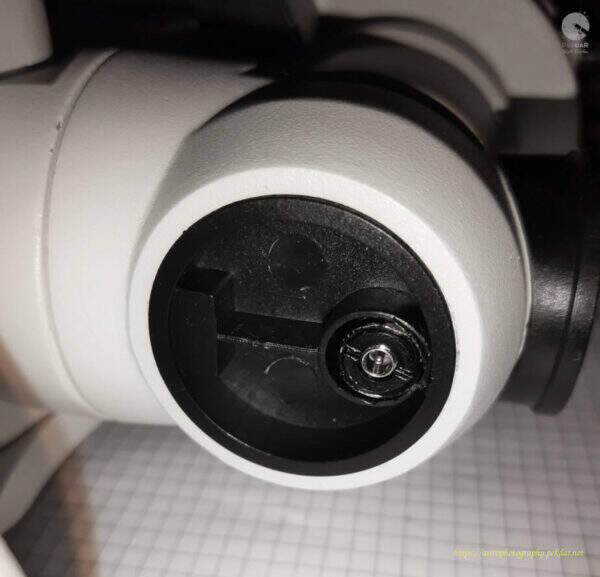
iOptron CEM25P - polar cover cap
iOptron CEM25P – polar cover cap

Attach the polar finder cover.

iOptron CEM25P - cap of the polar finder - back
iOptron CEM25P – cap of the polar finder – back

Test to verify the appropriate of the bearings replacement

Attach the mount to the tripod. Grab the body of the DEC axle with your hand, unlock it so that it can rotate freely. With your other hand, turn the dovetail handle. Pay attention to whether you feel any slightest resistance in a specific place when turning the handle. If you have followed all the steps in these instructions correctly, you should have the same freely rotating dovetail handle as in the video below has been shown. If it does then congratulations, great job!


The article describing the replacement of the RA axis bearings can be found here.

If you feel a local resistance while rotating the dovetail handle, think about whether all the activities you did. Maybe there was some of them, that could be called into question? If that’s the case, disassemble the DEC body and come back to the point, where it may seem that something is not what you expected. Pay attention to details, even the smallest dirt can affect the smoothness and fluency of rotation of the entire DEC axis.

Install the astronomical equipment on the assembly as you usually do. Start the mount and use the controller to make a few full turns in both directions. If during the rotation of the mount in the RA axis, there were no unexpected sounds of friction, scraping and the mount, did not stop unexpectedly, it can be said that the operation of replacing the bearings (in my opinion) was a completed with success.

Of course, the best and final test will be going out into the field, with full equipment and testing the equipment during beautiful night with stars.

Version: 1.1

Date: 10.04.2025

Author: Dariusz Krzempek

Support my work on Ko-fi

Did this guide help you?

I create these guides and projects as a hobby. If I helped you save time or money, consider supporting my work with a coffee. It keeps the energy flowing for future projects.

Categories
Newest articles
Support

Was description useful? Consider to support author, it prevents to post annoying ads for you. All you just could do is once a year, sponsor for me a coffee. The currency, amount, doesn’t matter to me. Matter to me, that you want! :) PayPal link below.

Read

Similar Articles

SynScan - PCB - pads

SynScan GOTO controller – trouble with buttons

SynScan GOTO controller – trouble with buttons: At some point while using the controller, I noticed that the ESC button wasn’t always working. I lived with it, but after a while, the left Ra button also started acting up and wouldn’t always connect. A red flag went up in my head – something needed to be done. It’s worth noting that the problems appeared right after the warranty period ended… coincidence?

Read more...
EQDIRect for NEQ and EQ mounts

EQDIRect for NEQ and EQ mounts

EQDIRect for NEQ and EQ mounts: The GOTO controller is extremely convenient and practical to use, when you want to look at interesting night sky objects, with your own eye through the eyepiece mounted in the telescope’s focuser. The ability to quickly select an object using the GOTO controller, is invaluable.

Read more...
Rosette Nebula - NGC 2237 - Caldwell 49

Rosette Nebula NGC 2237 – Caldwell 49

Rosette Nebula NGC 2237.
In this article, I have gathered in one place the most interesting information about the entire nebula and its selected regions. The information contained in this content is my own compilation based on collected data.

Read more...